
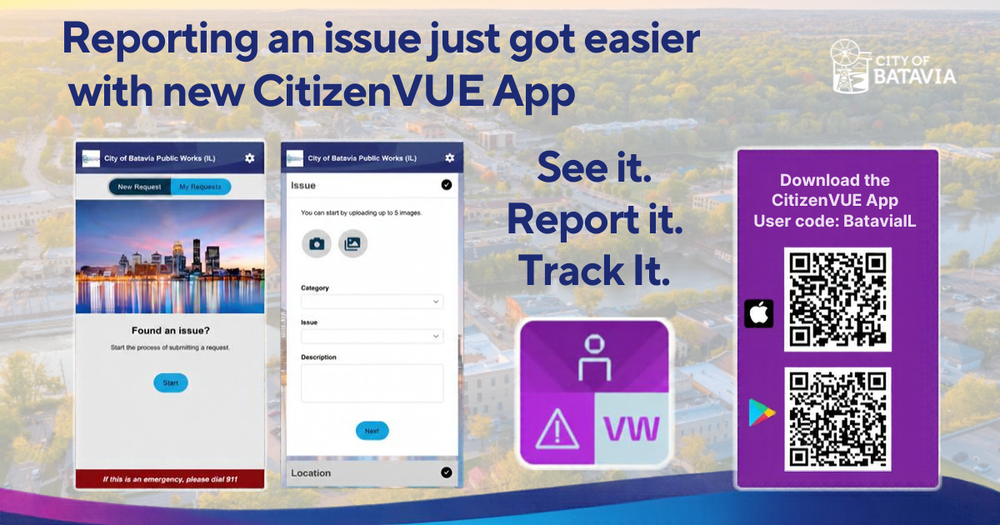
The City of Batavia has relaunched CitizenVUE, its online public works service request system, with new options that make it easier to report non-emergency issues from a computer or mobile device.
Residents can use CitizenVUE to report concerns involving City streets, sidewalks, utilities and other public property. Users can identify the location, choose an issue category, describe the concern and add a photo, if available.
Three ways to report a concern
CitizenVUE is now available through:
The CitizenVUE online portal
The new VUEWorks: CitizenVUE app, available from Apple’s App Store and Google Play. When prompted, enter the user code BataviaIL.
The City of Batavia mobile app by selecting Citizen VUE from the main menu.
The VUEWorks: CitizenVUE app also allows users to track their submitted requests.
CitizenVUE accepts non-emergency service requests for garbage, recycling and yard waste; drainage and flooding; electric system issues; trees and planters; streets, parkways and sidewalks; and water and sewer concerns.
Do not use CitizenVUE for emergencies or issues requiring an immediate response. Call 911 for an emergency.
Do not use CitizenVUE to report a power outage. Report outages by calling 630-454-BULB (2852).
Visit bataviail.gov/reportconcern for the CitizenVUE portal, app download links and instructions for submitting a request.